AI art direction · Mac and Windows

Image Studio

My art direction board: references, briefs and image and video generation in one place, with Claude working right on the board.

Current version

2.0.99

Mac
macOS, Apple Silicon (M1 or newer) · .dmg · 237 MB
Windows
Windows 10 or 11 · .exe installer · 242 MB
languages
English, Portuguese
updates
automatic on Mac: the app tells you when a new version is out and updates in one click

A board that talks back

References, brief and generation in one place. Ask Claude in the side panel and it builds the block, wires the right images and generates the versions.
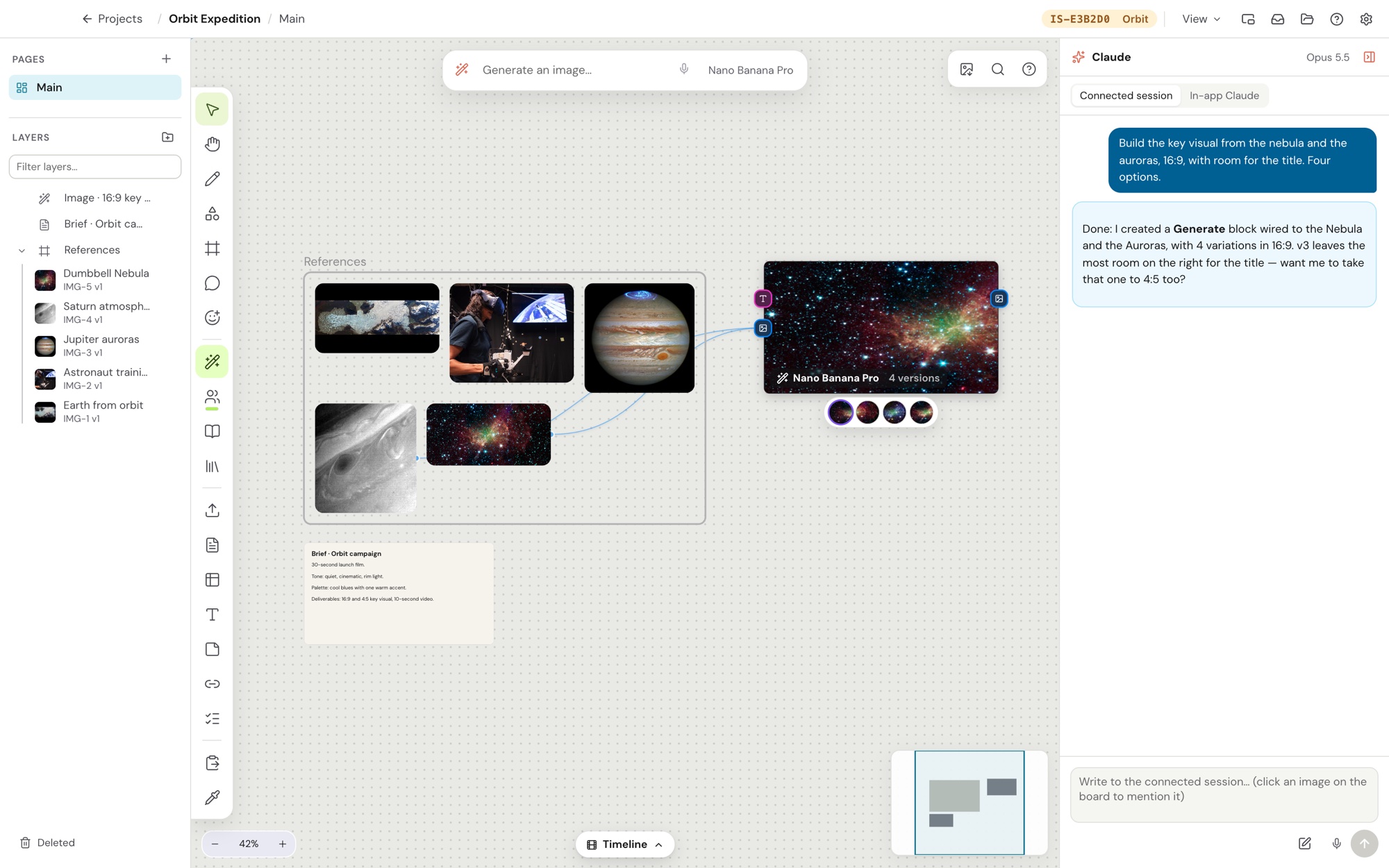
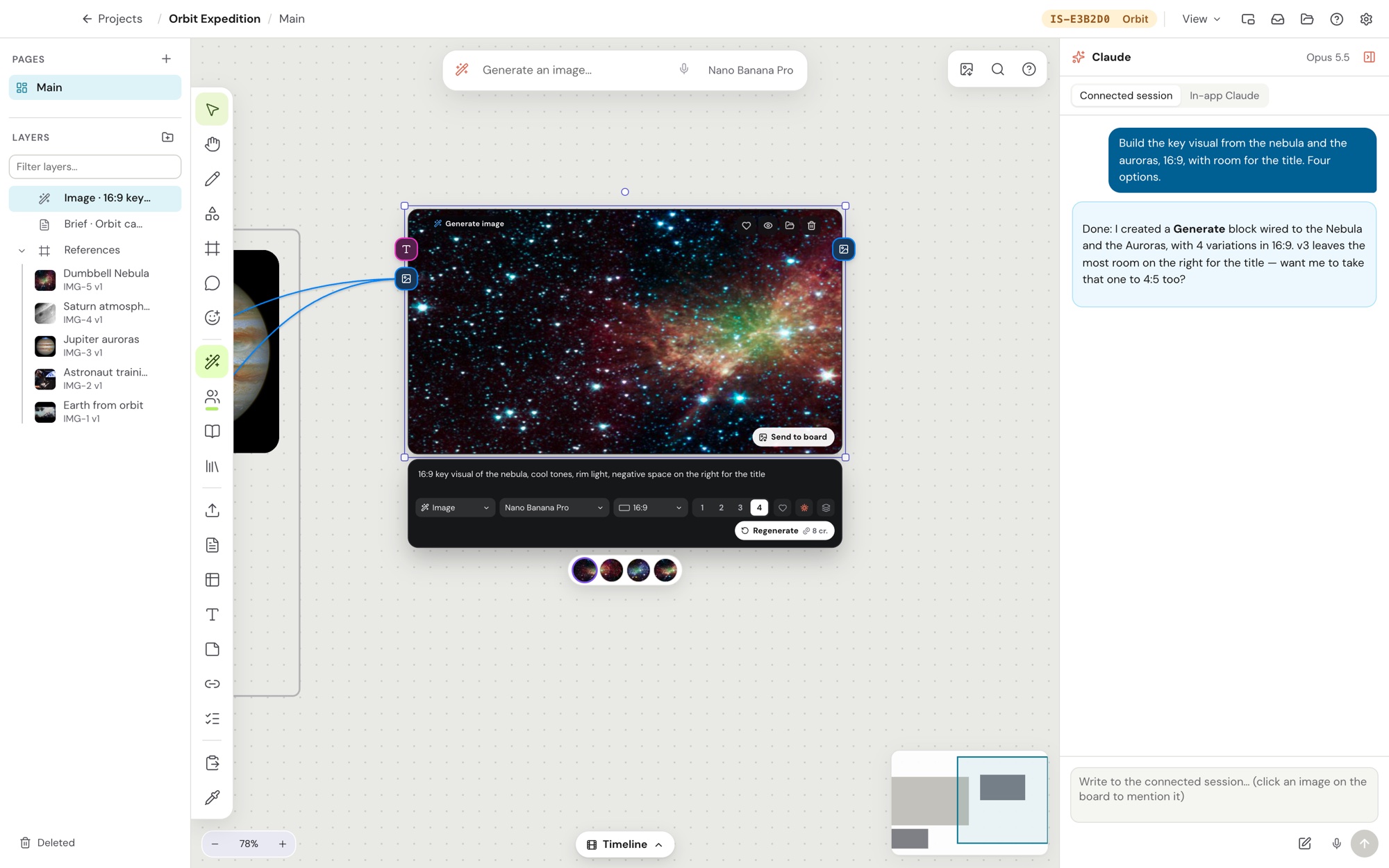
Image Studio board with references, a brief, a Generate block with four versions and the Claude panel
A request in the Claude panel becomes a Generate block wired to the references, with four versions.
Selected Generate block with the prompt, model, 16:9 ratio and four versions
The Generate block: prompt, model, aspect ratio and the versions side by side.

Board images: public-domain NASA photos.

How to open

The app is not code-signed yet, so the system asks you to confirm the first time.

Mac

  1. Open the .dmg and drag Image Studio to Applications.
  2. In Applications, right-click Image Studio and choose Open.
  3. If the Mac blocks it, go to System Settings › Privacy & Security and click Open Anyway.
  4. After that, the app opens normally and updates itself.

Windows

  1. Run the .exe installer.
  2. If you see "Windows protected your PC", click More info › Run anyway.
  3. Image Studio shows up in the Start menu.